Configuring a variant attribute
Variant attribute has certain key configuratiosn to be done in order to work correctly.
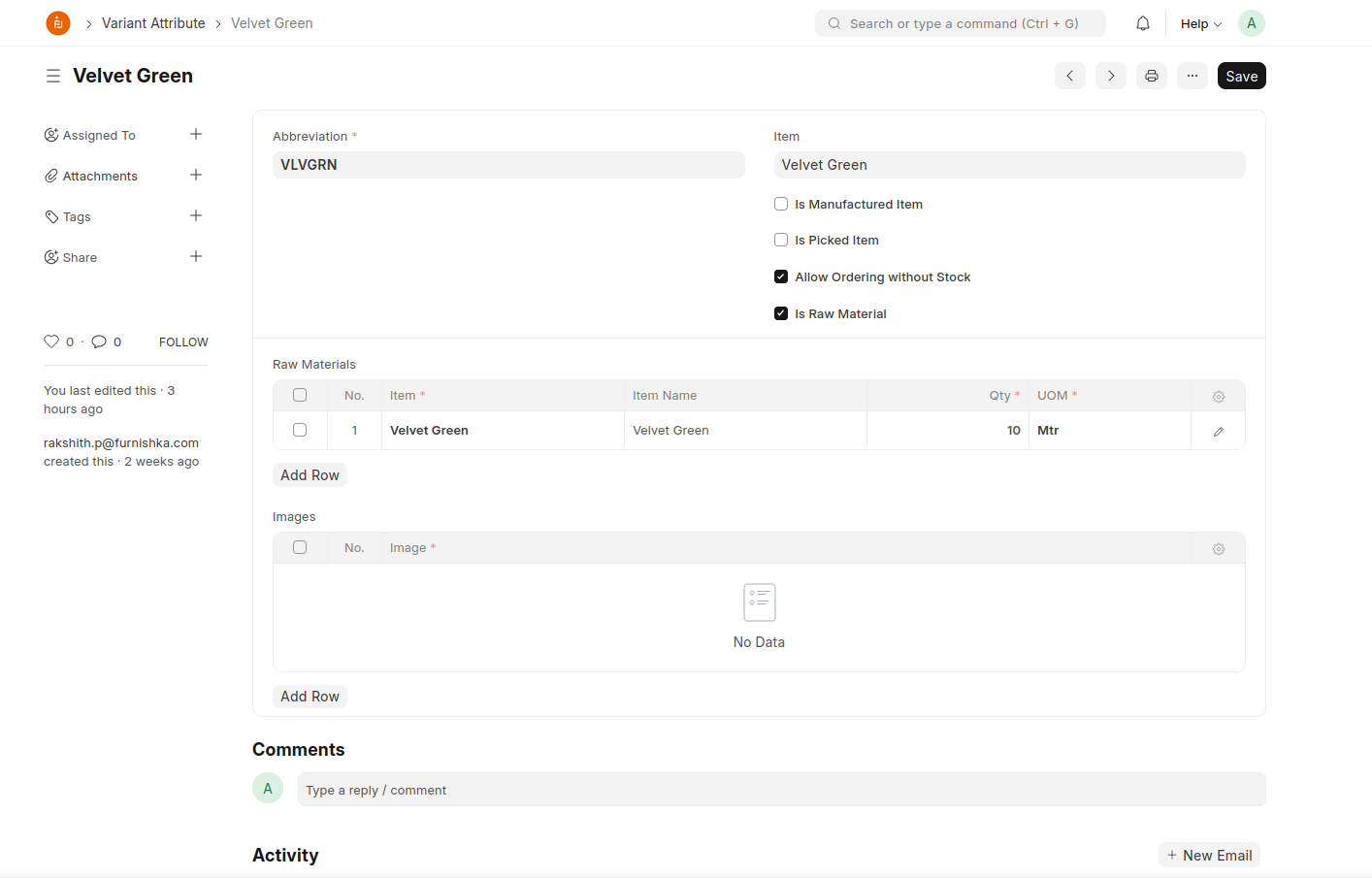
- Abbreviation: It is used in the item name while creating a variant with this attribute
- Item: This is how we tag an existing item to this attribute
- Is Manufactured Item: This determines whether work order is to be created or not whenver a sales order is placed. System will automatically create work order for all attributes that are marked as Is Manufactured Item as soon as an order is placed containing the attribute.
- Is Picked Item: This will help system determine whether or not to include this item in the product bundle. Only items included in it are listed to be picked up during delivery.
- Allow Ordering without Stock: This will allow users to place order for items containing this attribute even if it's not available in stock.
- Is Raw Material: This will indicate to the system that the attribute is something that has to be included as a raw material in another component that is manufactured.