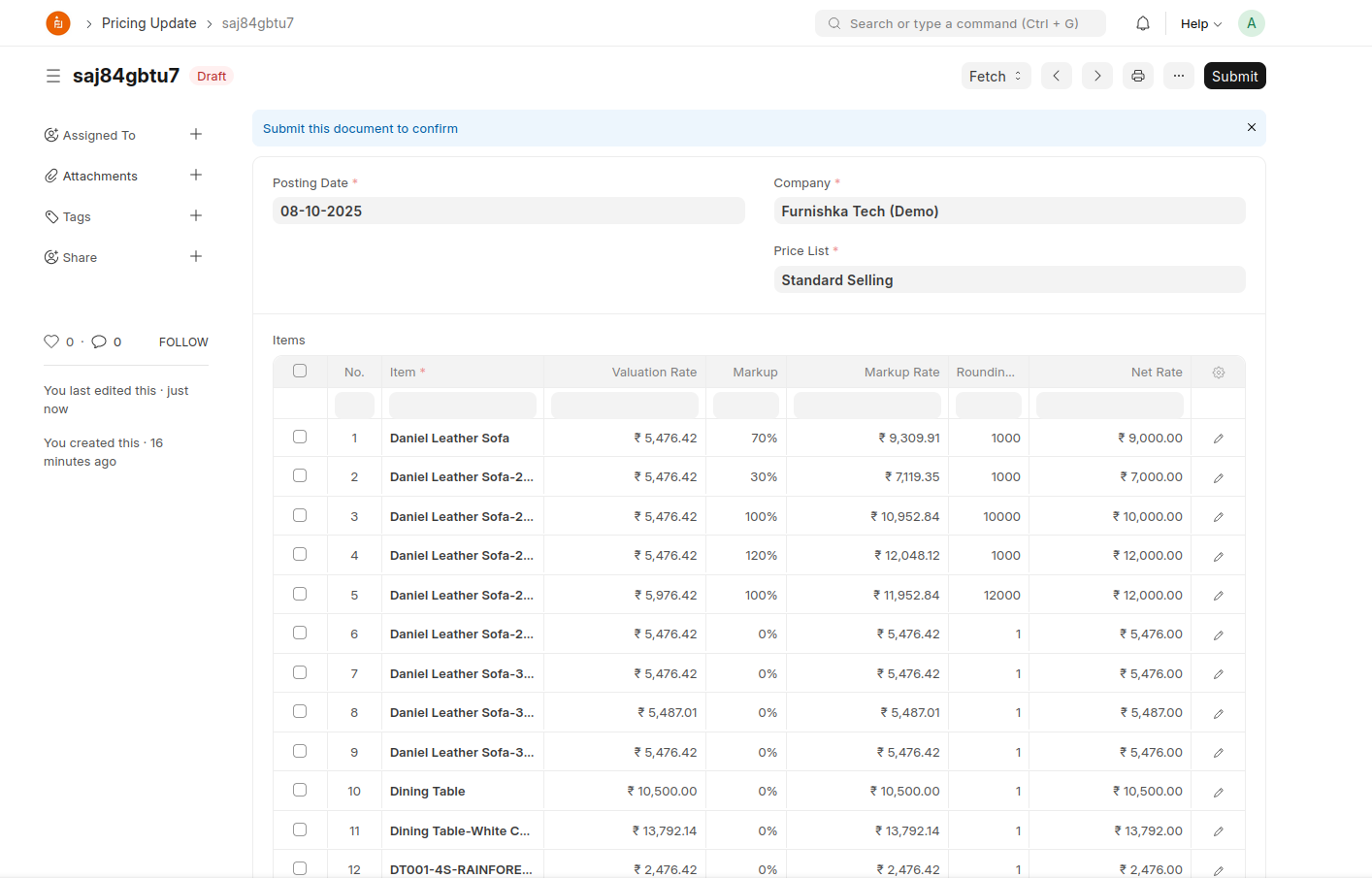
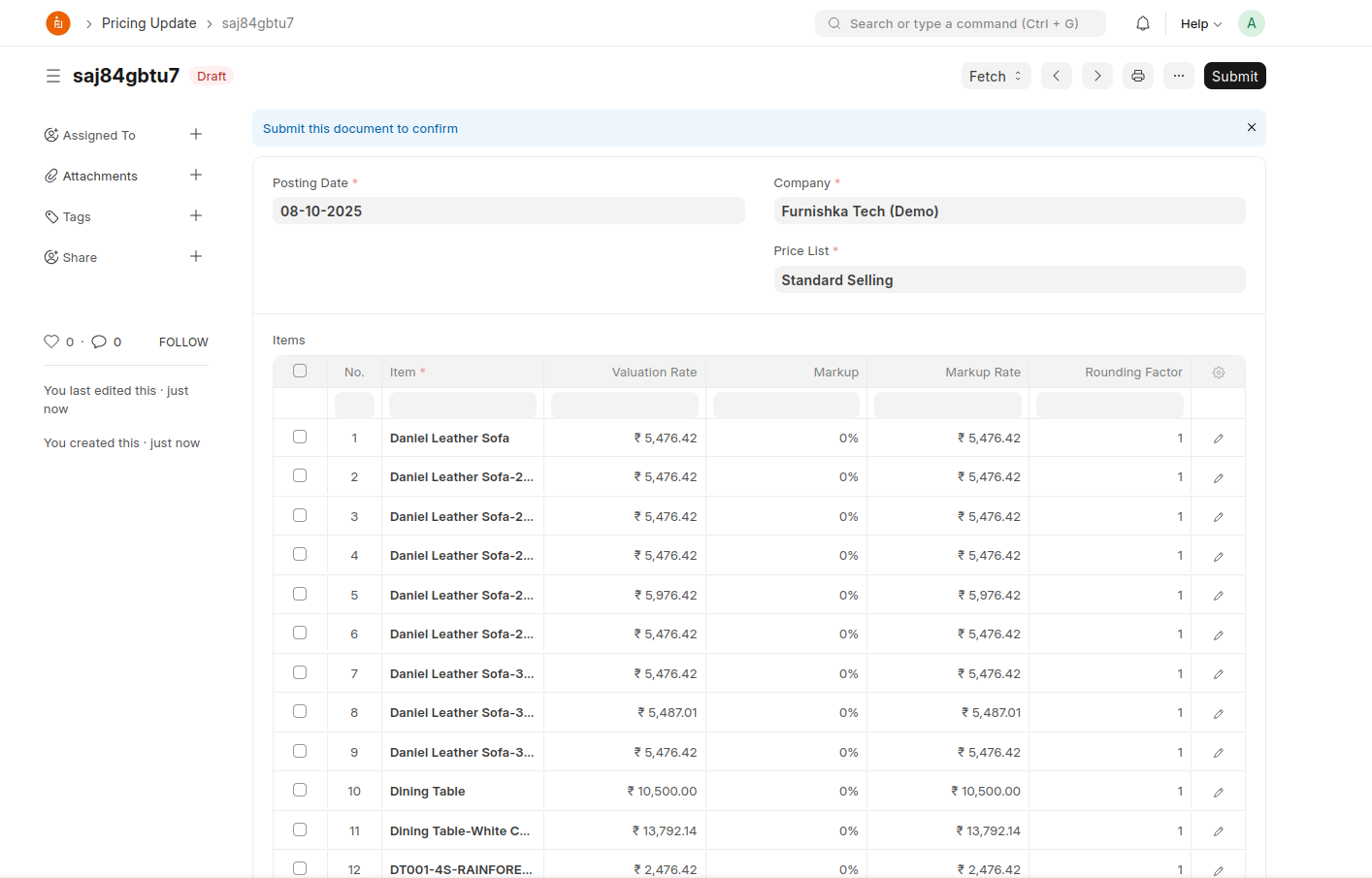
Updating prices
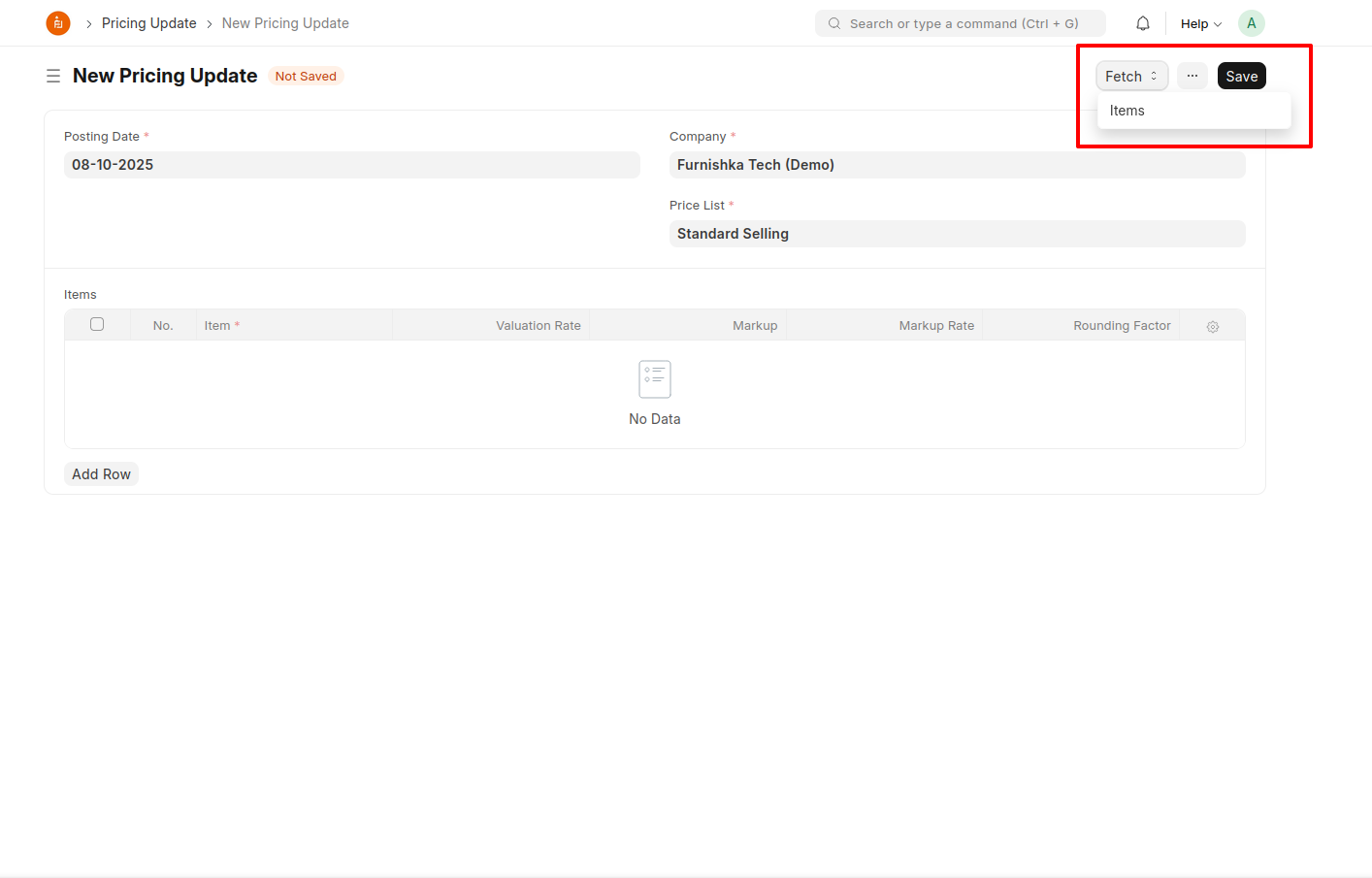
Create a new Pricing Update document
Items can be either filled in manually or fetched using the fetch button.
Once saved, system fetches valuation rates of the items. The following logic is applied to fetch the valuation rate:
- Check if a BOM exists against the item, if yes, take the cost from it.
- In case if no BOM is found, we check if it's a product bundle.
- If yes, we loop through the items in bundle and check if they have BOMs attached.
- If yes, we take the cost from it's BOM
- If no, we get it based on current stock
- If yes, we loop through the items in bundle and check if they have BOMs attached.
- If all of the above conditions have failed, we try to get valuation rate based on current stock
Markup and Rounding Factor from item is fetched. The same can be changed in this document as well. Markup Rate is first calculated and then rounding is applied based on the factor.
Once submitted, system will automatically create item prices.